
Hyatt Hotels Booking Cashback Guide
Hyatt Hotels
Add our IATA code when booking on the Hyatt Hotels official site and get 5–7% cashback on the room rate after checkout. Status and points are unaffected.
Booking steps
Hyatt Hotels includes Park Hyatt, Andaz, Grand Hyatt, Hyatt Regency, Hyatt Centric and more. This guide is for desktop access to the World of Hyatt website (www.hyatt.com) to book overseas Hyatt properties. Mainland China Hyatt properties are not supported through this channel.
- 1
Visit the Hyatt website
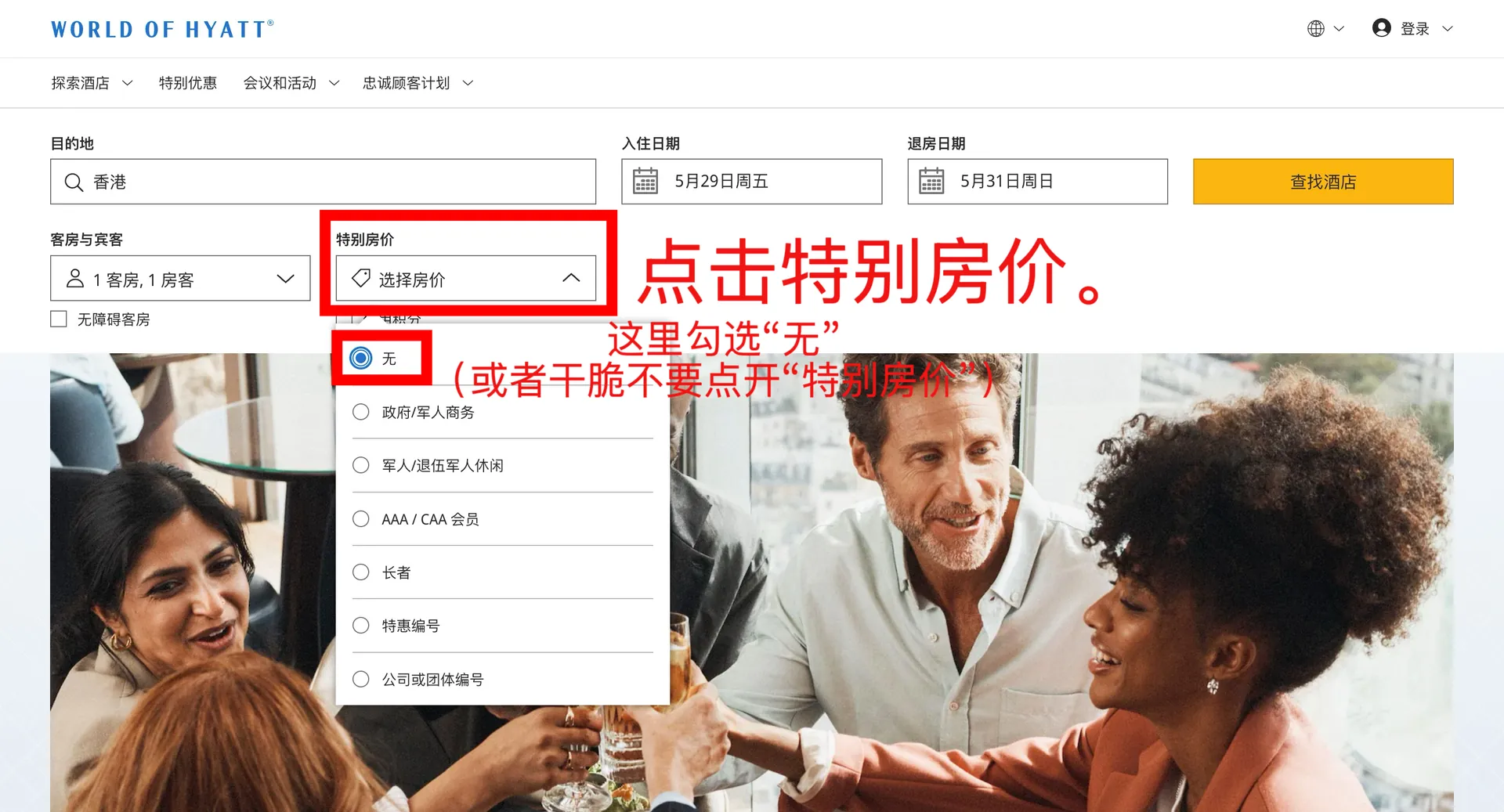
Overseas Hyatt properties are booked on the World of Hyatt website (www.hyatt.com). Click the button below to open the site (the version matching your interface language is selected automatically), then search for hotels as usual by entering your destination and check-in / check-out dates.
- The IATA number is entered on the final booking confirmation page — the search step needs no agent info
- Mainland China Hyatt properties are not covered by this guide — please use our WeChat mini-program instead
- 2
Pick a hotel and room type, then expand all rates
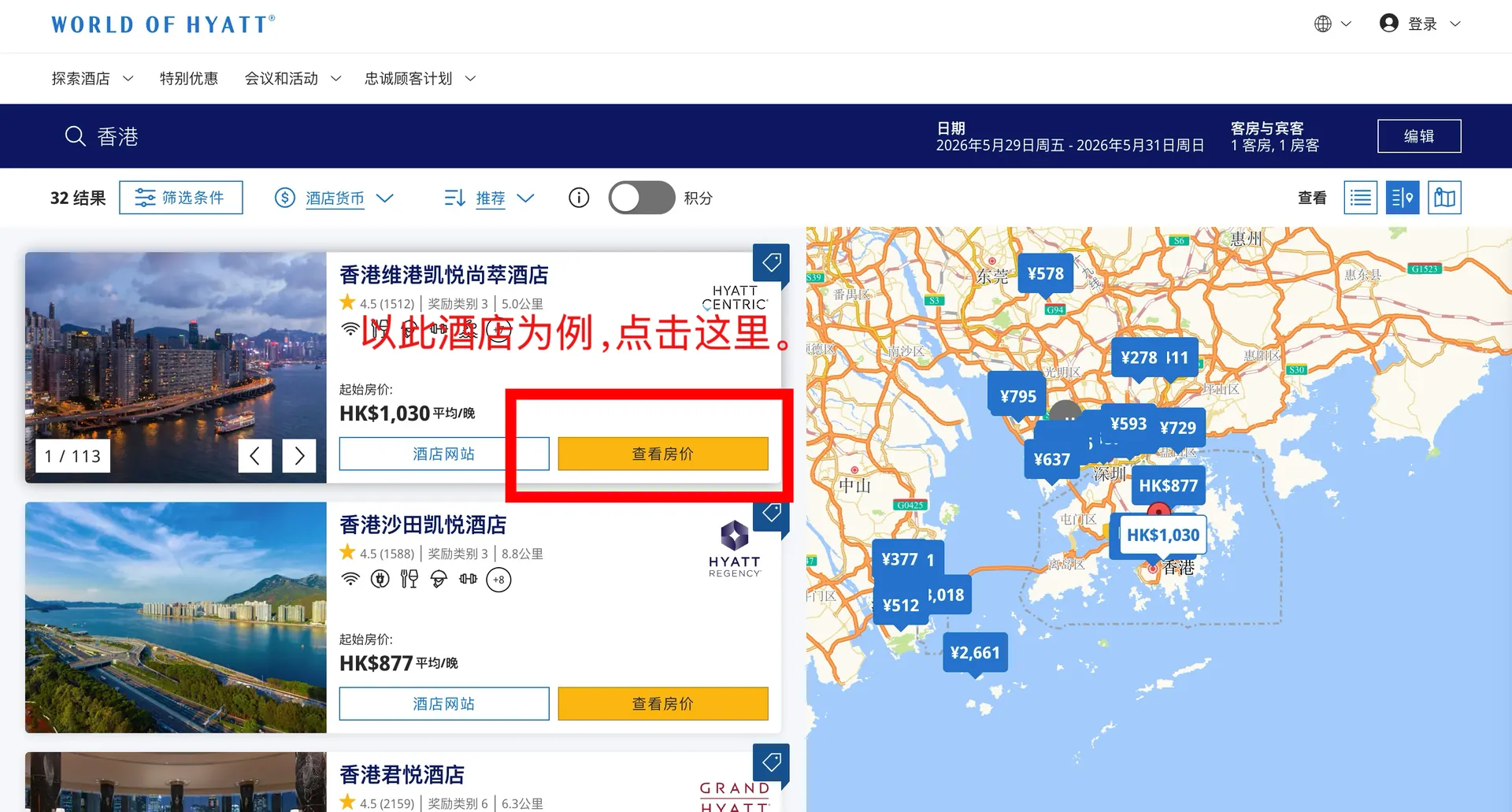
On the search results page, find your target hotel and click View Rates. In the room list, click "+N more rates" under your preferred room type, then choose the rate you want in the "Select your rate" window and click "Sign in and book" to continue.
- Pick a normal paid rate (e.g. Member Discount, 15% Off, Standard Rate) — do not use a points-redemption rate
- Signing in to World of Hyatt unlocks member rates, but signing in or not does not affect entering the IATA number later
- 3
Fill in booking details as usual
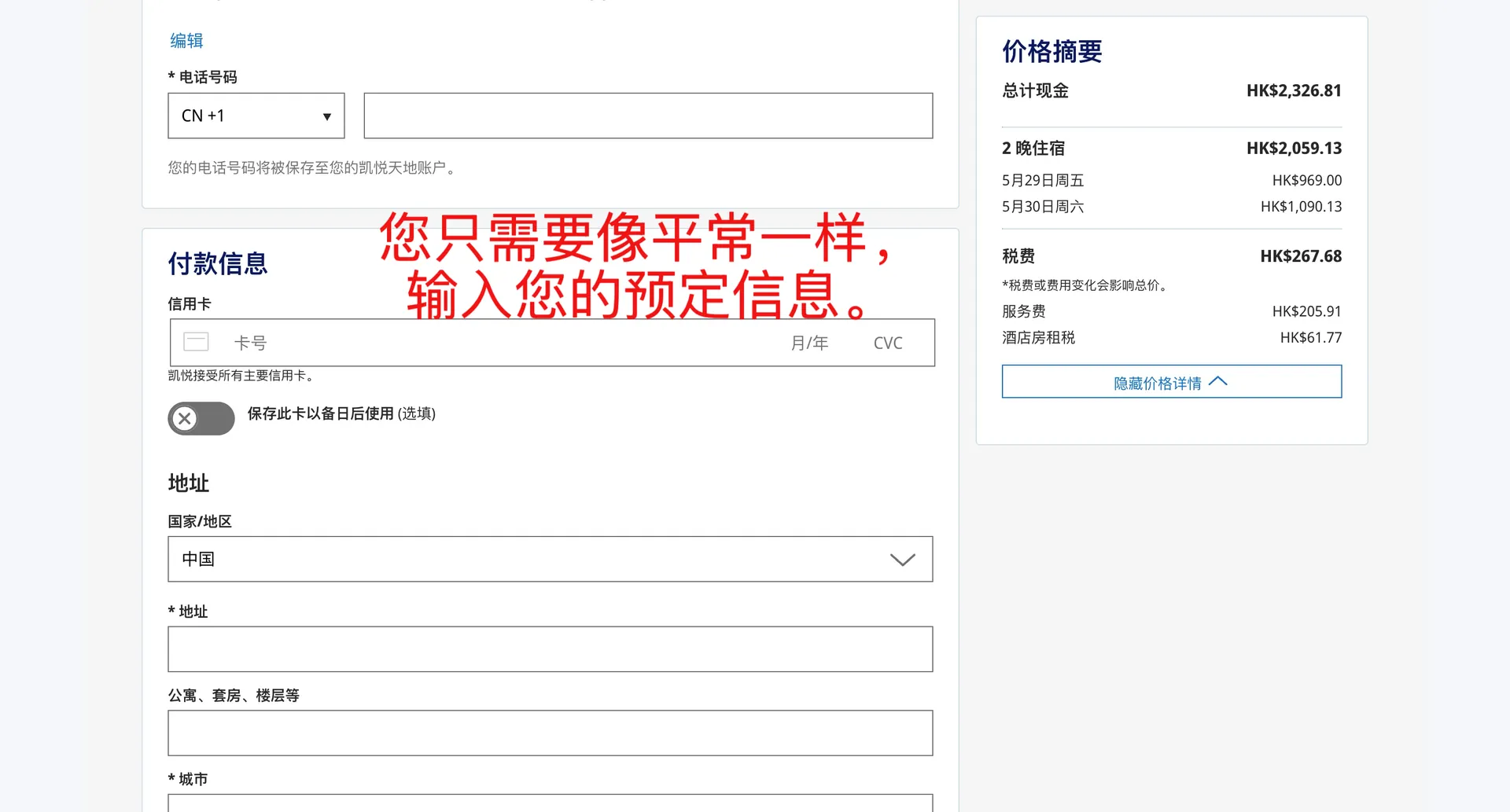
On the final booking confirmation page, fill in contact details (last name / first name / email / phone), payment details (card number / expiry / CVC) and billing address (country, address, city, etc.) as you normally would.
- Use your real name and a reachable email so the hotel can contact you
- Do NOT enter any agent / IATA info in this step — IATA goes in the "For travel planners and travel advisors" section lower on the same page
- 4
Enter the IATA number in the Travel Advisor ID field
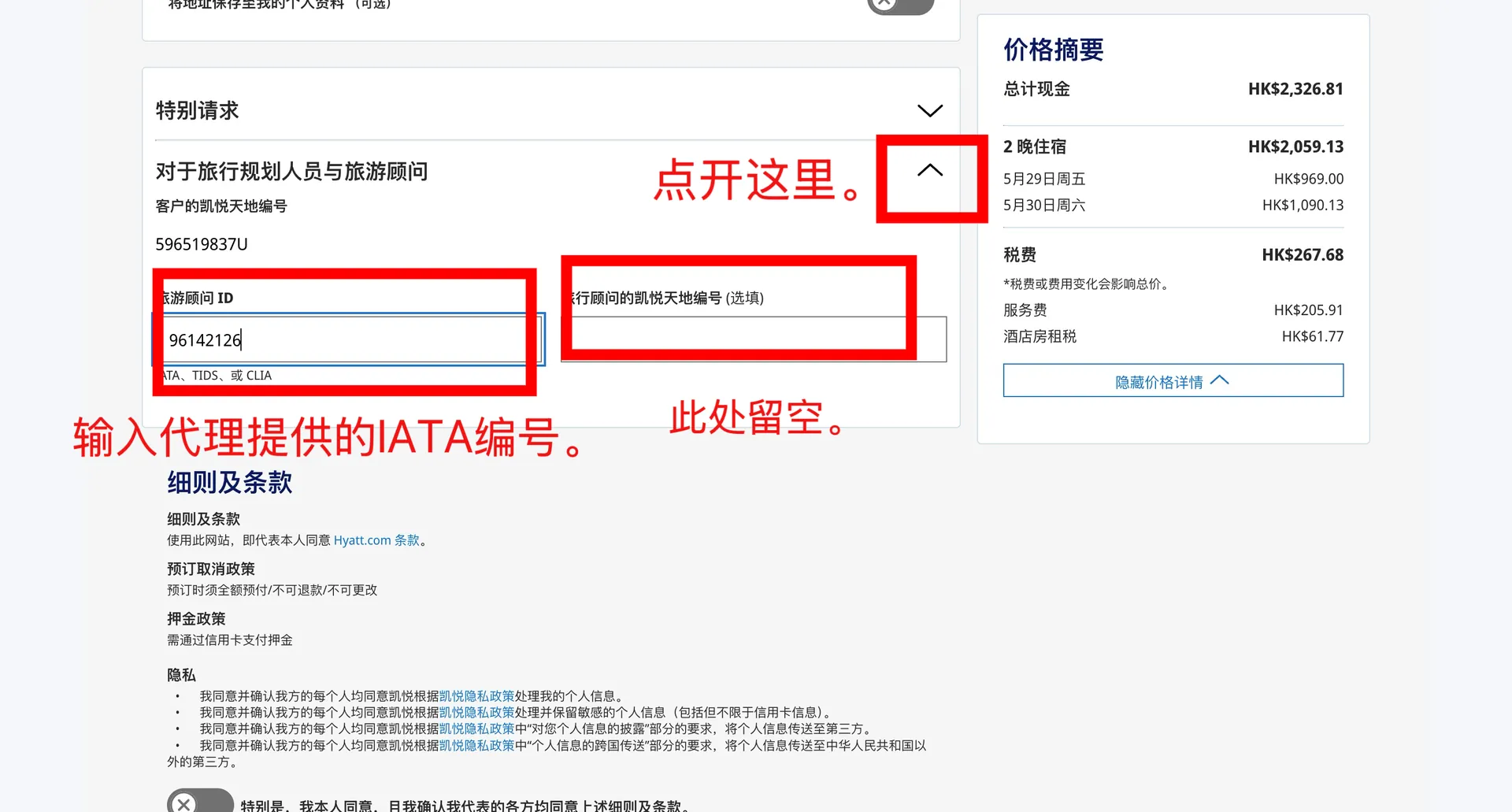
On the booking confirmation page, scroll down to the "For travel planners and travel advisors" section (if it is collapsed, click the arrow on the right to expand it). Enter our IATA number [the IATA code shown on this site] into the "Travel Advisor ID" field. Leave the "Travel advisor's World of Hyatt number (optional)" field below COMPLETELY EMPTY. Then click "Book my stay" to complete the booking.
- The IATA number is an 8-digit code: the IATA code shown on this site
- The "Travel advisor's World of Hyatt number" field MUST stay empty — filling it breaks rebate tracking
- The "Customer's World of Hyatt number" is your own membership number — it appears automatically when you sign in, so you can ignore it. Keep the confirmation email as proof for your rebate claim
Get started with RebateTrail
Sign up to submit a cashback claim, or go back to the home page for the step-by-step interactive guide.